
No products in the cart.
Best Wireless Security Cameras: Do It Yourself Security Camera Installation
Wireless security cameras are an excellent choice for homeowners and small businesses looking for an easy DIY installation. These cameras offer flexibility, simple setup, and no need to run complex wiring. Here’s a guide to the best wireless security cameras and how to install them yourself.
1. Top Wireless Security Cameras
When choosing the best wireless security camera, consider factors like video quality, battery life, motion detection, and night vision. Here are some top-rated options:
- Arlo Pro 4: Known for excellent video quality and smart home integration.
- Google Nest Cam: Offers advanced motion detection and 24/7 video recording.
- Ring Stick Up Cam: Popular for its ease of use and built-in siren.
- EufyCam 2C: Provides great battery life and local storage.
- Learn more about Choosing the Right Wireless Camera for Your Home.
- Check out reviews at CNET’s Best Wireless Cameras.
2. Steps to Install a Wireless Security Camera
Installing a wireless security camera is simple and doesn’t require any professional help. Follow these steps:
- Choose the Camera Location: Place your camera in an area that covers key entry points, driveways, or large spaces.
- Mount the Camera: Use the included mounting bracket to attach the camera to the wall, ceiling, or other surfaces.
- Power the Camera: Wireless cameras are usually powered via batteries or solar panels. Make sure the camera is charged and ready to go.
- Connect to Wi-Fi: Follow the manufacturer’s instructions to connect the camera to your home’s Wi-Fi network.
- Install the Mobile App: Download the app to view live footage, set alerts, and control the camera remotely.
3. Monitor and Maintain Your Camera
Once installed, regularly check your camera’s battery or solar panel to ensure it stays powered. Use the mobile app to customize alerts, view live streams, and save important recordings.
How to Install a Wireless Security Camera by Yourself
Get Professional Support Need help deciding which wireless security camera is best for you? At SecureView Security Cameras, we provide expert advice and installation services to suit your needs. Contact us here for more information.
Recommended products
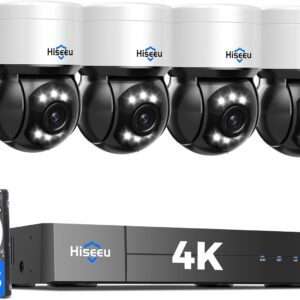
4K HD DIY Security Cameras: Full Coverage with 330° Pan, AI Tracking & Smart Detection
$622.98DIY 4MP Security Camera Sale
$550.00$950.00DIY 5MP Security Camera KIT
$300.00$369.97
REOLINK Smart 5MP 8CH Home DIY Security Cameras System, 4pcs Wired PoE IP Cameras Outdoor with Person/Pet/Vehicle Detection, 4K 8CH NVR with 2TB HDD for 24-7 Recording, RLK8-520D4-5MP
$540.75
Solar Powered Security Cameras – DIY KIT
$559.98

