
PoE Camera Cable Route and Material Planning
Professional field guide
Plan PoE camera pathways, switch capacity, cable quantities, racks, recorders and installation materials before the project reaches the field.
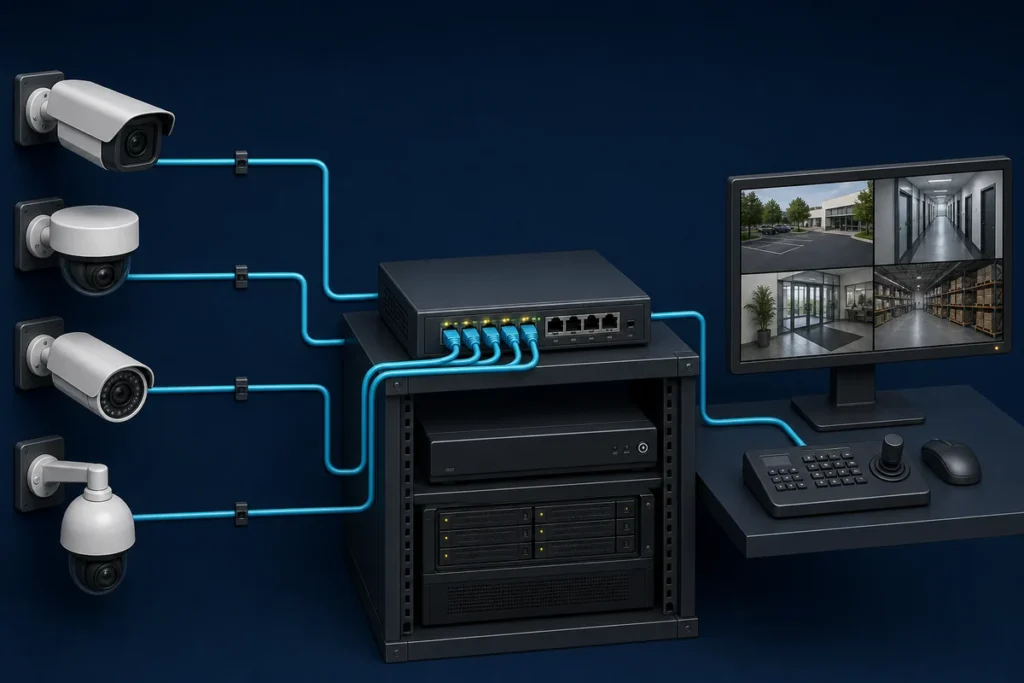
Camera placement and cable planning are one design decision
A camera location is not installable until the contractor knows how power and data will reach it. PoE simplifies the device connection, but the complete pathway still depends on distance, construction type, environmental exposure, switching capacity, rack space and the route back to the correct network or recording location.
Start each run at the camera and follow the actual path—not a straight-line measurement—to the serving switch. Include vertical travel, pathway turns, service loops, rack routing and a reasonable allowance for field conditions. Flag any run approaching Ethernet distance limits before the proposal is finalized.
PoE camera material-planning checklist
Measure routes once and reuse the quantities
Group runs by cable type and serving equipment so the legend, material quantities and installation sequence stay understandable. The video surveillance design workflow connects security-camera devices with the network and pathway systems that support them. Contractors can draw routes, review grouped totals and carry equipment context into the next project stage.
For the complete upstream process, return to the contractor project planning hub.
See the actual workflow
Move from this guide into a real contractor workspace
Explore the resettable demos first, or start a protected trial when you are ready to save a private customer project.